If you’re here, something frustrating likely happened and you need to know how to remove a fake Google review from your business profile.
First, some good news.
If a review truly violates Google’s policies, Google wants it removed too. They provide a formal process to report and appeal reviews that contain prohibited content.
In this guide, we’ll walk you through:
- What qualifies as a fake Google review
- What does not qualify as a fake Google review
- Steps to report a fake review
- How to appeal if Google denies your request
- What to do if the fake review stays live
But if you just want to know how to get a fake Google review removed, here is the short answer...
Steps to Remove a Fake Google Review
- Sign into your Google Business Profile
- Click "Reviews" in the left navigation panel
- Locate the fake review
- Click the three dots to the right of the review
- Select "Flag as inappropriate"
- Choose a reason
- Submit
What Is a Fake Google Review?
A fake Google review is any review not based on a genuine client's experience with your company.
Examples include:
- Fake negative reviews from someone who was never a client
- Reviews posted by competitors (for the purpose of sabotage)
- Spam or bot-generated reviews
- Reviews posted from fake accounts
- Incentivized or paid reviews
Google’s policies prohibit misleading, deceptive, or conflict-of-interest reviews.
If a review clearly violates those guidelines, it can be removed.
You can also report a review that contains harassment, hate speech, or prohibited content.
What Is Not a Fake Review?
"A bad review is not automatically a fake review."
If a real client had a negative experience and shares it, even if you disagree with their version of events, Google typically will not remove it unless it violates a specific policy.
Google does not mediate factual disputes between businesses and customers.
If someone claims they received poor service, Google generally will not determine who is right.
That distinction is important before you begin the reporting process.
Steps to Report a Fake Google Review
You cannot delete fake reviews yourself, but you can report them for policy violations.
Step 1: Access Your Google Business Profile
Sign into your
Google Business Profile.
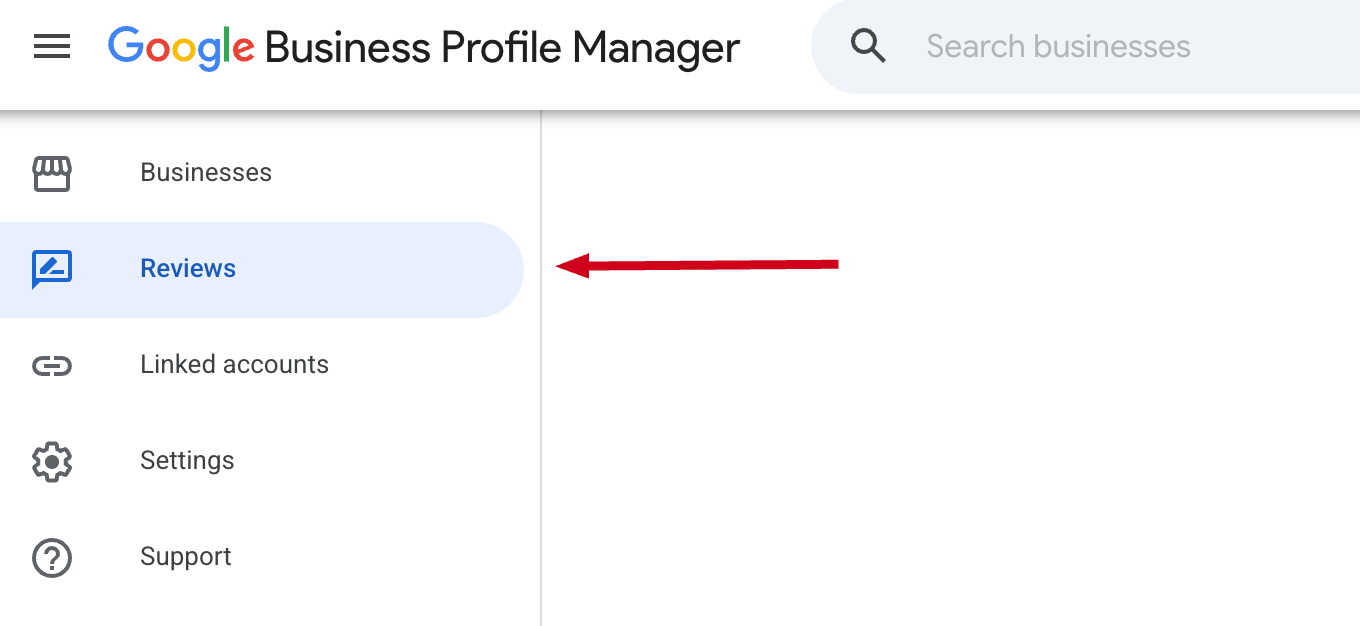
Then, click Reviews in the menu on the left.
Step 2: Locate the Review
Find the review you want to report.
To make it easier to find, you can sort reviews by:
- Lowest rating
- Most recent
Step 3: Report the Review
Click the three-dot menu next to the fake review.

Then, select
“Flag an inappropriate”
You’ll be prompted to choose a reason why you're reporting the review, such as:
- Spam
- Conflict of interest
- Discrimination or hate speech
- Personal information
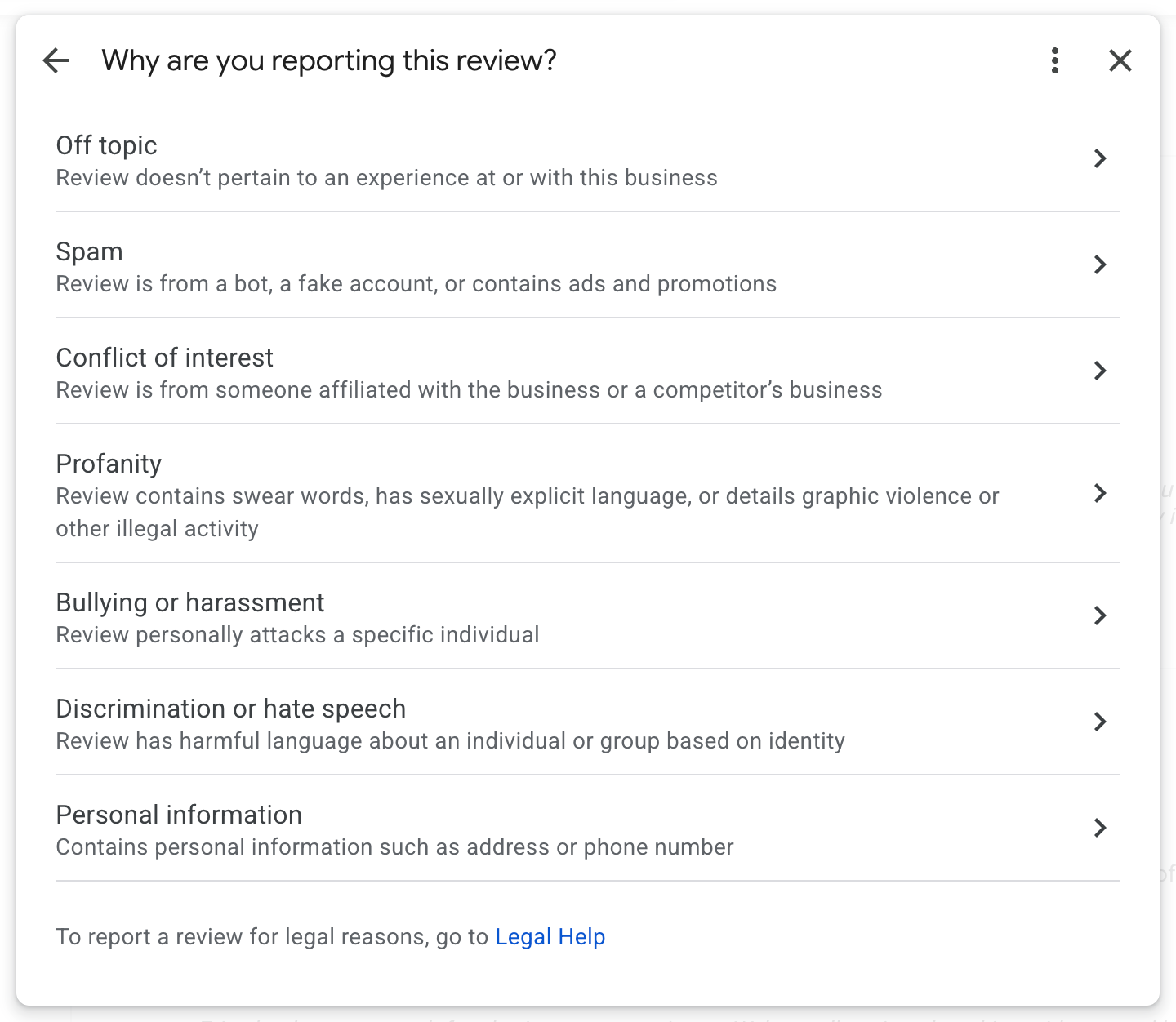
Choose the option that best matches the violation and submit.
Google will review your request. Reporting does not automatically result in removal.
How to Check the Status of a Review You've Reported
Google manages the status of reported reviews through its Business Profile Support system.
To check your status:
- Sign into the Business Profile support website
- Confirm your email, if asked
- Select the business to review
You'll see a list of reviews you've reported and whether:
- The review was removed
- No policy violation was found
- The decision is still pending
Reviews can take several days (sometimes longer) to process.
What to Do If Google Doesn't Remove the Fake Review
If Google determines no violation occurred, you can submit an appeal.
Step 1: Appeal the Decision
Within the same page you checked for the status of a reported review, you should see an option to "Appeal eligible reviews".
When appealing:
- Clearly reference the policy you believe was violated
- Be concise and factual
- Avoid emotional language
If the appeal is denied, Google will notify you.
Step 2: Contact Official Support
If you believe the review clearly
violates policy, you can continue working through Google Business Profile Support channels.
In some cases, you may also
post in the
Google Business Profile Help Community, where product experts can review your case and provide guidance.
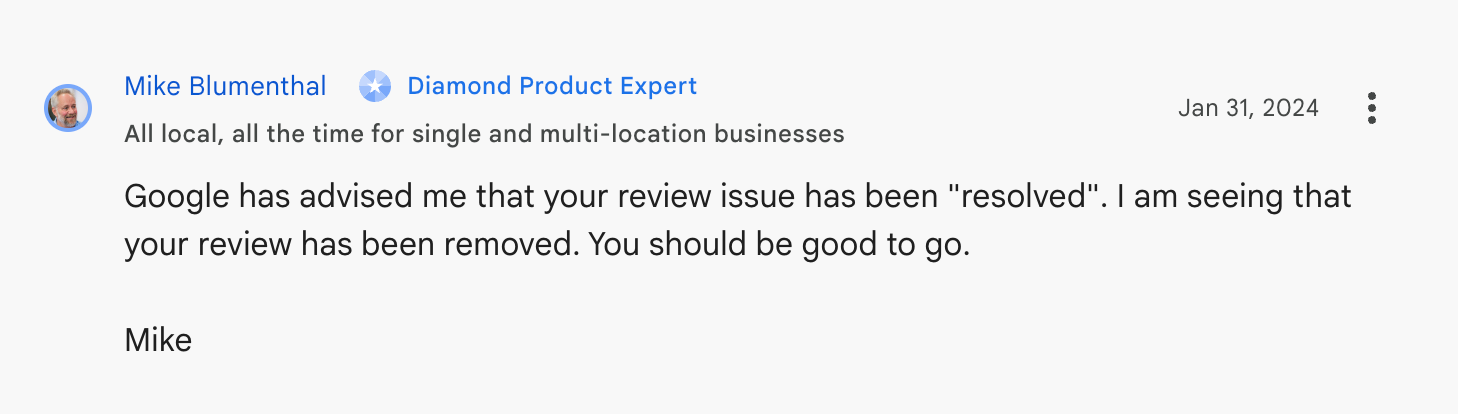
If they agree that the review violates a Google policy they may personally escalate the request to delete the review for you.
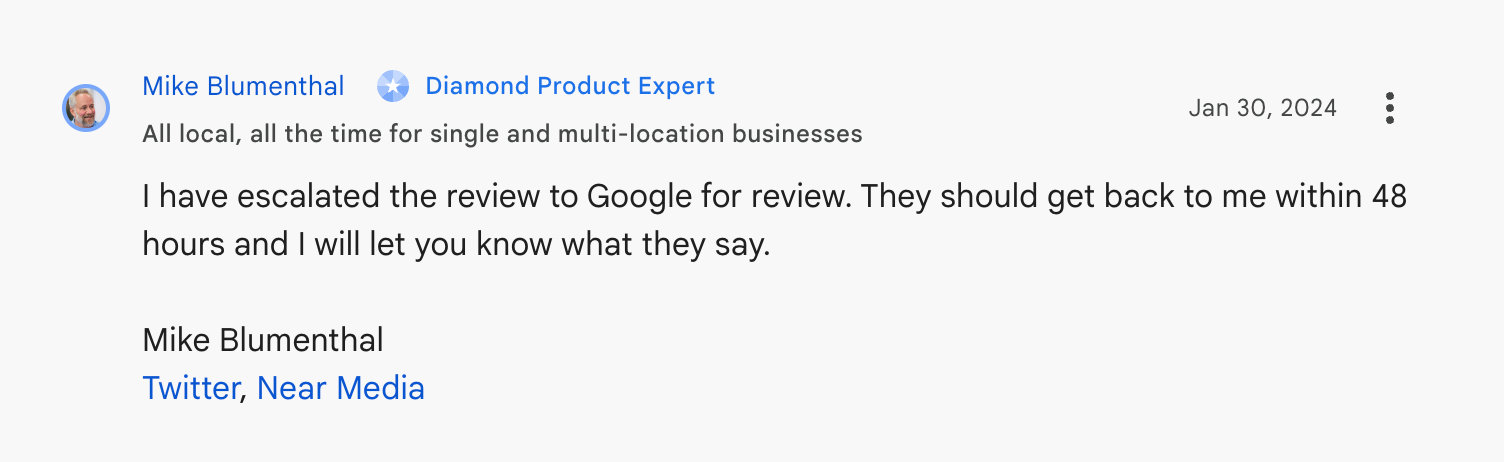
Always remain professional, moderators are volunteers who help escalate legitimate issues.
Frequently Asked Questions
Are fake reviews automatically deleted after reporting?
No. Reporting triggers a review process. Google evaluates whether the content violates policy before making a decision.
How long does it take Google to remove a fake review?
Google states reviews are typically evaluated
within a few days. That said, there are multiple reports on Reddit of reported reviews sitting in ‘Pending’ status for months and longer. If this happens to you, follow Step 2 above and contact official support.
Additional Strategies to Protect Your Reputation
If removal doesn’t happen, here are practical next steps.
1. Respond Professionally
You should respond to every review, including fake ones.
Your response isn’t just for the reviewer. It’s for future customers reading your reviews.
Keep your reply:
- Calm
- Professional
- Brief
- Focused on resolution
Example:
“We’ve reviewed our customer records and are unable to locate a customer with this name. If this review was intended for our business, we’d appreciate the opportunity to connect directly and resolve the issue.”
This demonstrates transparency without escalating conflict.
Avoid this approach if you're with a healthcare organization covered by HIPAA. Even just acknowledging that someone is a patient when you reply can get you into trouble.
2. Reach out the Person Directly
If you know who posted the review, it may be helpful to reach out to them directly. Offer
genuine empathy and attempt to resolve the situation with them 1-on-1.
If you can repair what went wrong they may take the review down or update it as an act of goodwill.
3. Generate More Positive Reviews
One negative review carries far less weight when surrounded by consistent five-star feedback.
Build a system for regularly requesting reviews from happy customers.
A steady flow of authentic positive reviews:
- Boosts your star rating
- Builds credibility
- Dilutes the impact of isolated negatives
This is the most reliable long-term strategy.
4. Consider Professional Reputation Management (Carefully)
Reputation management firms cannot override Google’s policies.
No legitimate agency has “special connections” that guarantee removal.
However, experienced professionals may:
- Help frame appeals correctly
- Identify policy violations you may have missed
- Manage broader reputation strategy
If you hire outside help, choose carefully and avoid companies that promise guaranteed deletions.
5. Legal Action (Rare Situations)
If a review is clearly defamatory and you can identify the author, consult an attorney.
Legal action is typically a last resort due to time and cost. It should be approached strategically and professionally.
Final Thoughts on How to Delete a Fake Google Review
Fake reviews are frustrating, especially when your business reputation matters.
While you cannot manually delete reviews, you can:
- Understand Google’s policies
- Report violations properly
- Appeal when necessary
- Protect your reputation through consistent positive reviews
If managing your online presence feels overwhelming, that’s exactly why we exist.
At Big Fish we help established businesses in regulated industries, such as healthcare, maintain polished, professional brands. This includes their website and online reputation.
You may be interested in our Google Business Profile management services.
We keep your listing current and accurate with regular updates; and we respond to every review you receive. Including reporting any and all fake reviews plus handling the appeal process if the fake review isn't reviewed.
Get in touch if you'd like more information about this service.

About the Author: Sara MacQueen
Sara MacQueen is the founder of Big Fish, a digital agency that builds compliance-aware websites for healthcare practices and helps them get found in search and recommended by AI. She has over 10 years of experience spanning healthcare, SEO, design, marketing, and software development.
More insights.